WiFi Landing Page Tips: How to Engage Guests and Build Loyalty

Improve Your Restaurant Business by Turning Your WiFi Landing Page Into a Revenue-Generating Tool

WiFi Landing Page Tips

Scroll to explore

The Power of a WiFi Landing Page: Why It Matters for Your Restaurant

The short answer

A WiFi landing page is the first screen guests see when they connect to your restaurant’s WiFi, and it is the richest data capture point a restaurant has. In the Bloom Intelligence network, every WiFi login captures an email address, 97.1% of them valid, and about half of guests also share a birthday. The tips below make that page on brand, easy to use, and built to turn every login into a returning guest.

If you are offering your guests free WiFi, you already have a tool that can immensely improve your marketing, operations, and overall guest experience.

Offering free WiFi is an excellent benefit to your guests, and it has become an expectation more than an amenity.

With a simple change, you can discover the business-boosting power of WiFi marketing and analytics.

And it all starts with your WiFi landing page.


Audio Discussion about Increasing Revenue with your WiFi Landing Page


WiFi Landing Page Examples

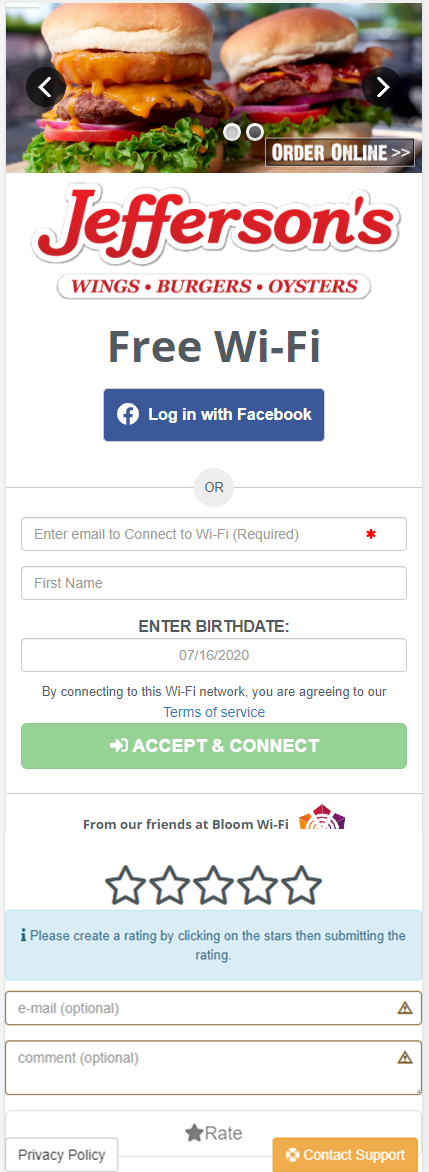
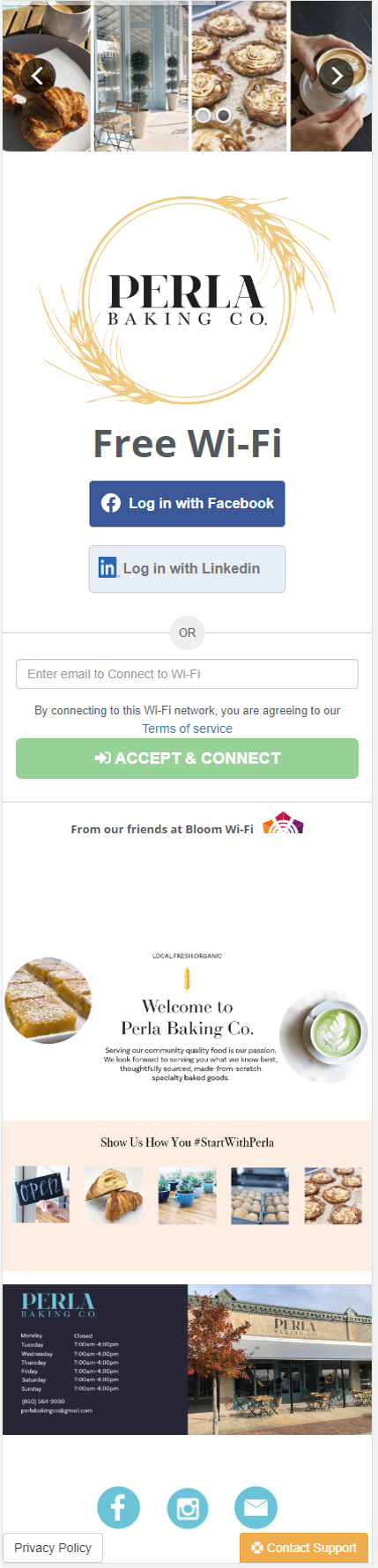
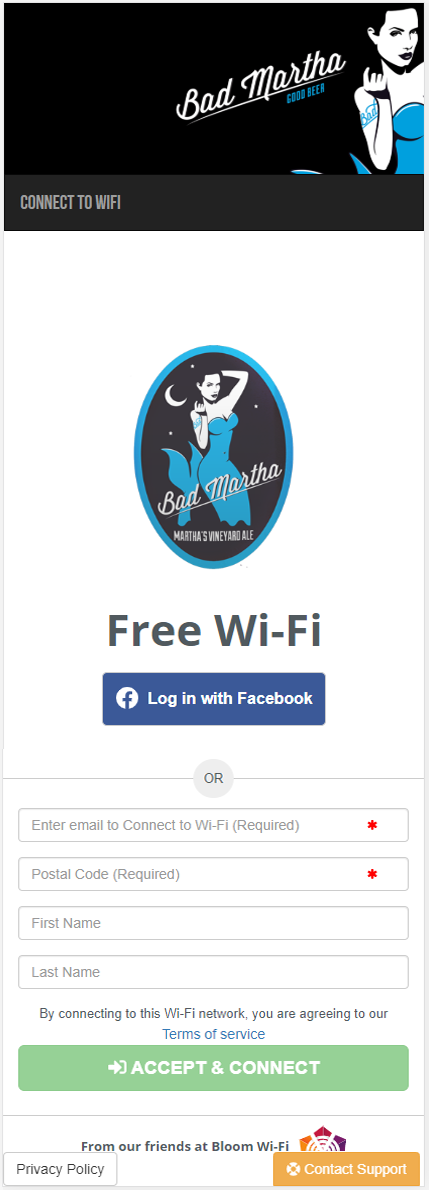
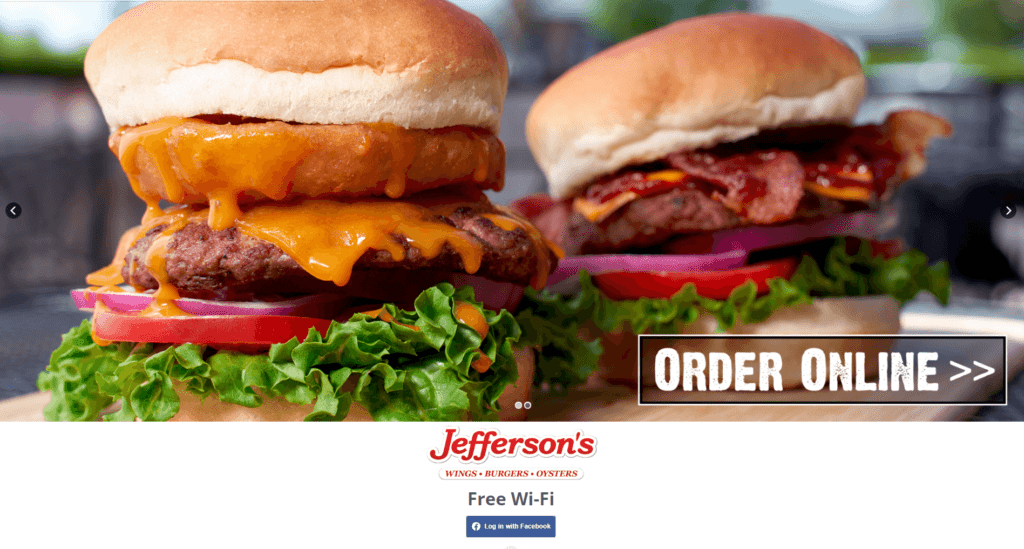
Click each image to see examples of how WiFi landing pages can be configured.

WiFi Landing Page Example 1 WiFi Landing Page Example 2 WiFi Landing Page Example 3 WiFi Landing Page Example 4


Click for a Free Demo to See How It All Works!


What is a WiFi Landing Page?

When guests visit your place of business and attempt to log into the guest WiFi, they are taken to a specific web page. This web page is your WiFi landing page, also known as a captive portal.

Its purpose is to require users to enter information, such as their name and email address before they can access the internet.

To your guests, the WiFi landing page is simply a login page to the internet.

But from the restaurateur’s perspective, it is an effortless way to build an extensive customer database.

Likewise, you can use the information for automating marketing efforts and making better operations decisions.

Many restaurant owners, retail store owners, and operators will not put much thought into their WiFi landing page. In fact, some do not utilize a landing page at all. But this is a huge oversight that can cost your business money.

With a customized, optimized landing page, your business, and your guests can benefit.


WiFi Landing Page Tips


The landing page runs on a captive portal, the technology that holds a guest’s connection until they log in. For how captive portals work and how restaurants use them, see our guide to captive portals.

What a WiFi Login Actually Captures

Bloom Intelligence powers guest WiFi for restaurants across the country, so we can see exactly what a landing page collects. Of 367,025 guest profiles created through WiFi logins in the past year: This is original research from Bloom’s own platform data, not a third-party survey.

Collected at WiFi login Share of guests
Email address 100% (97.1% valid)
Birthday 49.6%
ZIP code 40.0%
Phone number 29.5%
Gender 23.3%

Source: Bloom Intelligence analysis of 367,025 guest profiles created through WiFi logins, September 22, 2025 to September 21, 2026.

That makes the WiFi login the richest single capture point a restaurant has. Across all guest profiles from every source, only about 17% include a birthday (see the audience data), so a WiFi login delivers roughly three times the birthday coverage of the average profile. For landing page design, the lesson is simple: ask for the email and the birthday, keep the phone number and ZIP code optional, and use the ZIP for local offers. Bloom’s landing pages capture and validate this information automatically and add it to each guest’s profile, so every login becomes a guest you can welcome back.

Methodology and disclaimer: Figures come from guest profiles in the Bloom Intelligence network created through guest WiFi logins between September 22, 2025 and September 21, 2026. Shares show how many of those profiles include each field. Data was compiled on September 29, 2026. Data comes from the Bloom network and may not be the same for all restaurants.

How To Optimize Your WiFi Landing Page

When creating or optimizing your WiFi landing page, there are some essential things to keep in mind.

Doing so will help you create brand loyalty and drive more revenue.


1. Brand Consistency

The first thing you want to remember is to keep your brand consistent across all of your public-facing channels. This consistency includes your WiFi landing page.

Brand consistency helps build customer loyalty and helps solidify brand recognition. It fosters trust and confidence in your brand.

Brand recognition brings your business to the next level.

According to the 2019 State of Brand Consistency report from Lucidpress (now Marq), consistent branding can increase revenue by up to 33%. In a competitive environment, consumers have grown to expect consistency.

Salesforce’s State of the Connected Customer research found that 79% of customers expect consistent interactions across a company, yet 55% say it feels like they are dealing with separate departments rather than one business.

So, ensure that your WiFi landing page maintains consistency with your brand. Make your logo prominent, use your brand colors, and speak in your brand voice.


2. Make It Readable on Various Devices

Consumers view internet content on various devices: laptop or desktop computers, tablets, and smartphones.

For this reason, you need to make sure that your page is responsive. Responsiveness means that it will be presented differently on different screen sizes so it is easy to digest by consumers.


Restaurant WiFi Landing Pages


For instance, when someone views the WiFi landing page on a smartphone, it appears a lot smaller.

If you were to present the same page as someone sees on a laptop screen, the text would be too small to read, and it would be challenging to navigate form fields and hyperlinks.

So, you present a page that fits on a smartphone screen with a larger font size and form fields. Of course, this makes the user experience much more streamlined and easier to use.


3. Use the Right Imagery

If you are going to use images on your WiFi landing page, you need to make sure they fit your brand, as discussed above.

But there are other considerations.

The image should be of very high quality. When users zoom in on the image, it should be crystal clear and in focus.

Also, the image should be large enough to fill the entire width of the page.

The image(s) you choose for the page should be actual images of your food or business.

Visitors will know when you just take a stock image off the internet.

With smartphones, you should be able to get a high-quality image to use on your WiFi landing page for little to no cost. You can also hire a photographer to take pictures of your food and atmosphere, and they can use them for future landing page changes, or marketing collateral.


WiFi Landing Page Example


4. Engage Customers

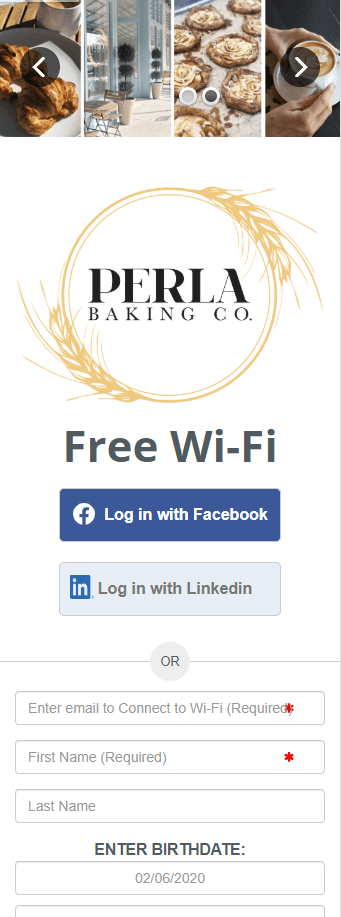
The primary purpose of your WiFi landing page is to capture guest contact information, so you want to make sure the login form fields are prominent.

You should also provide the ability to log in with Facebook, LinkedIn, or other social channels. It should be as easy as possible for users to log in.

Also, you can use your page for other opportunities.

For instance, you can use the page to advertise a special deal or event. You could also provide a link to your mobile app, ask for a rating, link to your social media accounts, and publish any content you want to write for the page.

Remember to keep the user experience very simple and maintain your branding.


5. Don’t Forget Social Media

You should always have the option to allow your patrons to log in using a social media account, like Facebook. Social logins have two advantages.

First, it is faster and more comfortable for your customer, which improves the user experience.

Secondly, depending on their social media settings, you can gather more data about the guest, such as their age or gender.

This data will allow you to target them much more efficiently in your targeted marketing campaigns (discussed below).

At the same time, you can use this data to promote your restaurant’s social media channels as well.

For instance, you can link to your Facebook, Twitter, Instagram, or any other account, and ask them to follow you. You can do this on your WiFi landing page or the page the customer is taken to after logging in.


Use Your WiFi Landing Page to Create Customer Profiles


6. Clean and Validate Collected Data

Why it matters: 97.1% of email addresses captured at WiFi login in the Bloom network are valid, because Bloom checks them as guests sign in. Clean data means your messages actually reach guests.

Many times, the guest will attempt to enter a fake email address. When this happens, you will end up sending marketing messages to those phony email addresses.

The email will not receive opens and clicks. These numbers lead to skewed statistics and make it impossible to run effective campaigns.

Bloom ensures that your WiFi landing page can clean data in real time as the guest is attempting to log in.

If they enter a fake email address, a message will appear, letting them know that they must enter valid information.

Of course, this can also be done with birthdays, postal codes, and area codes if you decide to require those on your page.


7. Integrate with Other Platforms

In today’s connected society, your WiFi landing page must integrate with other technology platforms you are using.

Bloom Intelligence gives you the ability to integrate with third-party software to develop a truly integrated WiFi marketing and analytics strategy to grow your business.

For example, if you use Mailchimp or Emma as your current email marketing platform, you can configure the software to integrate with those platforms and send the customer contact information to them.

The primary Bloom platform integrations center around the major email marketing providers. These integrations include solutions like Mailchimp, Emma, Constant Contact, and iContact.

When you integrate Bloom with any of these email platforms, any new email addresses that you collect through Bloom will automatically go to your associated email marketing platform.

See every system Bloom connects with on the Bloom integrations page.


Create a Customer Loyalty Program with the Help of Your WiFi Landing Page


8. Customer Activation

Why it matters: about half of guests share a birthday at WiFi login, which makes birthday offers one of the easiest automated campaigns to launch from your landing page data.

Customer activation is the act of motivating a customer to take action. You can use your WiFi landing page real-estate to do this.

Including other customer-engaging sections to your landing page, or to the page that guests are redirected to when they click the Submit button will encourage action.

For instance, if you have a mobile app for your business, this is a perfect chance to ask your patrons to download it.

One of the toughest ingredients to a successful mobile app is getting downloads. Why not use your WiFi landing page to increase downloads?

You can also use the space for advertising things like special events, menu specials, new menu items, gift cards, or upsell appetizers and desserts.

Do you have a customer loyalty program? A WiFi splash page provides another excellent opportunity to let your customers know about it.


WiFi Landing Page Example

9. Use The Data You Collect

Since your WiFi landing page collects customer contact information, you can use it to build your customer database.

Once you begin building your customer database, you should be using it to market your company and your brand.

Bloom Intelligence includes a cutting-edge automated marketing suite of tools that allows restaurant and retail chains to market to their customer based on their behavior and demographics.

For instance, you can create an automated marketing campaign to deliver a marketing message whenever a first-time WiFi user leaves your restaurant.

The message could contain a rating request, a coupon for a future visit, or a simple “thank you” message.

There are countless ways to use Bloom to increase customer loyalty and spending, lower operating costs, and improve your bottom line.

To see it all in action, schedule a free demo!


Discover Bloom Intelligence

Bloom Intelligence is an AI-powered restaurant marketing platform that includes a powerful customer data platform, automated data collection, automated WiFi marketing, and advanced reputation management tools.

Guest data is collected from multiple sources and aggregated into one single platform, making it simple and easy to analyze and segment your fine dining restaurant’s guest profiles.

Bloom makes guest data collection effortless, allowing you to quickly execute the strategies listed above, saving you time, increasing customer lifetime values, attracting new guests, improving your reputation, and boosting your bottom line.

To see more of what Bloom can do for your restaurant, schedule a free demo today, or call us at 727-877-8181.


William Wilson

Written by

William Wilson, Founder and CEO of Bloom Intelligence

Will has built guest WiFi and location-based marketing technology for physical venues since 2006, and today architects Bloom’s agentic AI revenue system for restaurants. Updated September 29, 2026.

SAVE TIME, INCREASE CUSTOMER LIFETIME VALUES, CREATE NEW CUSTOMERS

What our happy customers
are saying

“SaaS that covered so many bases for us instead of having to use multiple software products. Bloom Intelligence has simplified our responses to reviews, customer feedback, and more. I highly recommend Bloom Intelligence.”

Robert Sanderson

“Bloom Intelligence really is a step ahead in terms of marketing software and metrics. Their product is reliable, fast and innovative and has helped the company I work for really grow.”

John Marchetti

“Working with Bloom Intelligence has been amazing. They assist you every step of the way and work with you hand in hand to make sure you are optimizing your advertising potential. We are excited to use this tool to help learn more about our customers so that we can personally engage with them and understand our strengths/weaknesses.”

Ariel Ramirez

“In these challenging times, it has been a pleasure working with Bloom Intelligence to help facilitate our service offering to our clients. They were extremely responsive and provided support to mitigate risk and minimize revenue loss. Great partner!”

Stefan Kim

“We’re extremely pleased with the wealth of customer data that we’re able to gather, at a very attractive price.  In addition, we’re able to communicate our new product promotions by using  the landing page as a digital billboard.  A “no-brainer” for anyone working with limited Marketing $$.”

Bob Cross, Vice President of Operations

Restaurant Marketing FAQs

What is a WiFi landing page?

A WiFi landing page is the first screen guests see when they connect to your restaurant's guest WiFi. It usually asks for a name and email or a social login in exchange for internet access, and it gives the restaurant a branded moment to welcome guests, share offers, and collect the contact details that power future marketing.

What should a restaurant WiFi login page ask for?

Ask for an email address, which every login in the Bloom Intelligence network captures, and a birthday, which about half of guests are willing to share. Keep the phone number and ZIP code optional, since fewer guests provide them, and keep the form short so guests can get online in seconds. Include clear consent language and a link to your privacy policy.

Is a WiFi landing page the same as a captive portal?

They are closely related. A captive portal is the technology that holds a guest's connection until they complete a step, such as logging in or accepting terms. The WiFi landing page is what the guest actually sees on that portal: your branding, the login form, and any offers or messages you choose to show.

How do you get more guests to log in to restaurant WiFi?

Make the WiFi easy to find and fast to join. Put the network name on table tents, menus, and signage, let guests log in with an email or social account in one or two taps, and offer a small reason to connect, such as a welcome offer or loyalty points. A clean, mobile-friendly landing page that matches your brand also builds trust.

How do restaurants use data from WiFi logins?

Restaurants use WiFi login data to build a guest database, recognize returning guests, and send personalized messages such as welcome offers, birthday rewards, and win-back campaigns. Because a login also records when guests visit and how long they stay, the data shows who your regulars are. Bloom Intelligence turns every WiFi login into a guest profile automatically.

The Power of Restaurant Marketing with Bloom

Optimize restaurant marketing in 2021

Optimize retail &
business operations

Track restaurant marketing in 2021

Track attribution of
customer campaigns

wifi marketing for new customers

Trigger marketing
campaigns based on
marketing presence

how wifi marketing helps

Measure the health
of corporate & franchisee
locations

wifi marketing for coffee shops

Compare locations or
group of locations to
quickly identify opportunities
or threats

Are you ready to grow
your restaurant business?

If so, find out how Bloom’s restaurant marketing platform measures offline guest
behavior and builds guest loyalty.

It’s time to start leveraging your guest WiFi to gain
a competitive edge. Then watch your profits grow.

Get a Free Demo